Have the ability to be able to expand the listing window for the Transfer tab to show more transfers.
What platform are you on?
For me, on Windows, I’m able to resize the transfer/log windows. It took a bit for me to figure out how to do this.
For me, the transfer/log windows are tabs at the bottom of the screen - I’m not sure if that is the same layout that shows everywhere. Above the tabs, there’s a blank strip of space that runs the full width of the screen - above the transfer/log tabs, and below the two panes of the file browser.
In the center of that strip, underneath the gap between the two windows, there’s a small dark-grey dot. I can click on that dot and drag it up and down to make the transfer/log window bigger.
As I said, it took me a while to find that, and I’m not sure if it shows up for all layouts on all platoforms.
1 Like
We added an icon to maximize and minimize the Transfer tab.
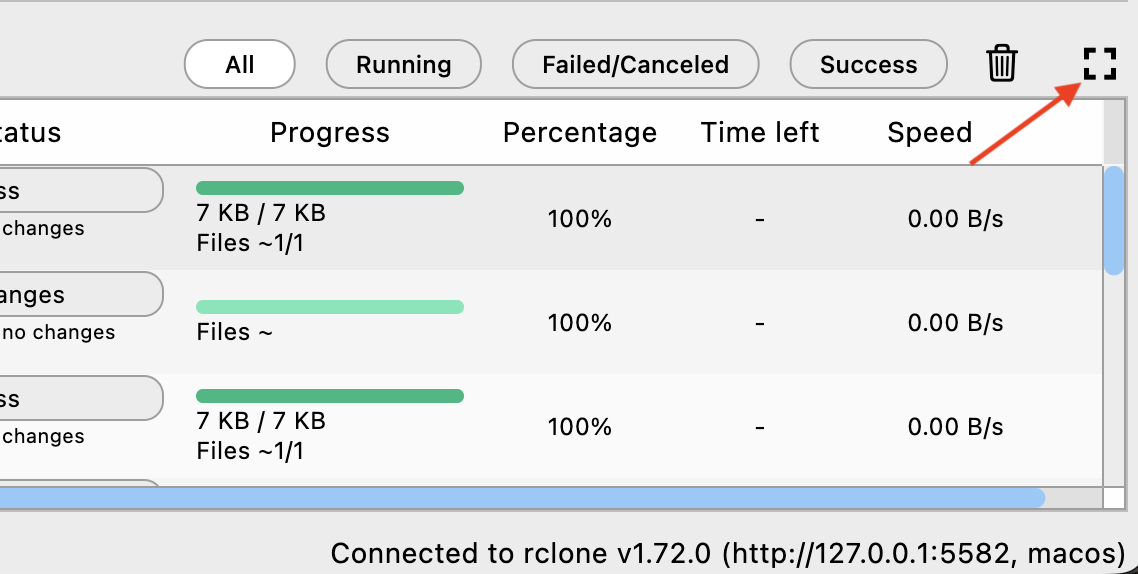
Hope this helps.
Best,
RcloneView Support Team