Hi, I am new user from rcloneview.
I succesfully setup remote for google-drive.
However, while setting up remote for onedrive (personal), it gives in browser message “Succes, all done, go back to rclone”, and then in rcloneview it shows greish window “add onedrive”, and not being to close the window. In the middle white x, which I can use to get out of loop. Sometimes messages appears about empty token. And that’s it.
How can I proceed ?
Thank you in advance !
The issue with rclone showing “Success, all done” in the browser but sometimes failing to return the token properly for OneDrive personal accounts is a known problem. This often happens due to token decoding issues or incorrect account authorization flow. Common reasons include:
- The browser may authorize a different OneDrive account (such as business) if already logged in, leading to token mismatches.
- The token returned may be malformed or longer than expected, causing rclone to fail parsing it.
- Token refresh or retrieval can fail silently with an empty token error, requiring manual reconnection commands.
- Headless or remote setups without a browser may cause issues in token exchange or input length limits.
Suggested workarounds and resolutions include:
- Logging out from any other Microsoft accounts in the browser before running rclone config.
- Using the advanced config option in rclone to explicitly select “personal” during setup.
- Running
rclone config reconnect onedrive_personal:to refresh the OAuth token when empty token errors appear. - Ensuring both rclone client and server sides are up to date with matching versions to avoid decoding errors.
- For headless setups, generating the token on a machine with a browser and copying it may help.
Before we open an issue on our side, could you try the following?
- Run the same OneDrive config using rclone directly (CLI) and see if the token is generated correctly.
- If the CLI flow also fails, it confirms the issue is in rclone rather than RcloneView.
- If the CLI works but the app still fails, please let us know — then we’ll investigate on our end.
Feel free to update us with what you find, and we’ll help you get it sorted out!
RcloneView Team
I’m having this exact same issue. Was there a resolution to this, please? I’ve tried everything I understand in the thread but I’m still stuck. Thanks.
Hi JW17, welcome!
Unfortunately, the original poster didn’t follow up with results, so we don’t have a confirmed resolution from that thread yet.
Could you try these steps and let us know what happens?
- Test with rclone CLI directly — Run
rclone configfrom your terminal and set up OneDrive there. This helps us determine if the issue is in rclone itself or in RcloneView. - Clear existing Microsoft sessions — Before starting the setup, log out of all Microsoft accounts in your browser, then try again.
- Check your rclone version — Run
rclone versionand share the output here. Make sure you’re on the latest version. - Try the reconnect command — If you already have a partial config, try:
rclone config reconnect your_remote_name:
Please share the results (especially whether the CLI setup works), and we’ll investigate further on the RcloneView side if needed.
RcloneView Team
Thanks for getting back to me. I’ll tell you what I can.
Test with rclone CLI directly:
Doesn’t work. If I say I have a web browser, I get this error message:
NOTICE: Fatal error: config failed to refresh token: failed to start auth webserver: listen tcp 127.0.0.1:53682: bind: address already in use
If I say I do not have a web browser, I get this message, which I don’t understand:
Option config_token.
For this to work, you will need rclone available on a machine that has
a web browser available.
For more help and alternate methods see: Remote Setup
Execute the following on the machine with the web browser (same rclone
version recommended):
rclone authorize “onedrive” “eyJkcml2ZV90eXBlIjoicGVyc29uYWwifQ”
Then paste the result.
Enter a value.
config_token>
(The reason I’ve bought RcloneView is because I’m not a tecchie and I need the GUI to use Rclone.
Clear existing Microsoft sessions:
I did this several times. No dice.
Check your rclone version:
rclone v1.73.0
- os/version: darwin 26.2 (64 bit)
- os/kernel: 25.2.0 (arm64)
- os/type: darwin
- os/arch: arm64 (ARMv8 compatible)
- go/version: go1.25.6
- go/linking: dynamic
- go/tags: cmount
Try the reconnect command:
I get this error message:
NOTICE: Fatal error: backend doesn’t support reconnect or authorize
I’m not completely useless – I have successfully set up Dropbox, Google Drive, Box, Koofr, pCloud and Mega accounts in RcloneView. It’s just OneDrive that isn’t playing nicely.
I have some screenshots, which I’ll have to post as separate replies in a second as I’m a noob.
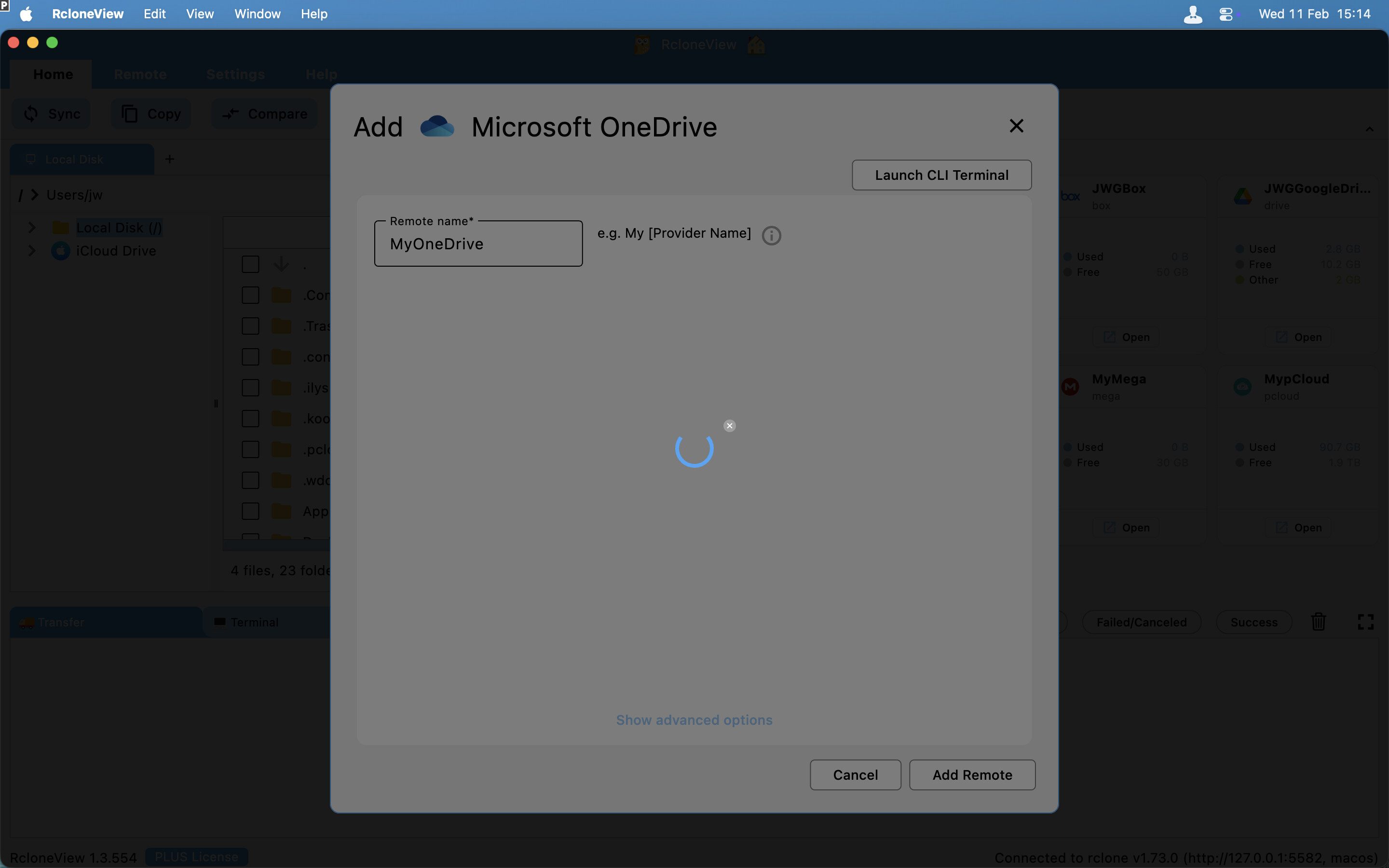
And when I go into my Microsoft account, it claims that RcloneView has access:
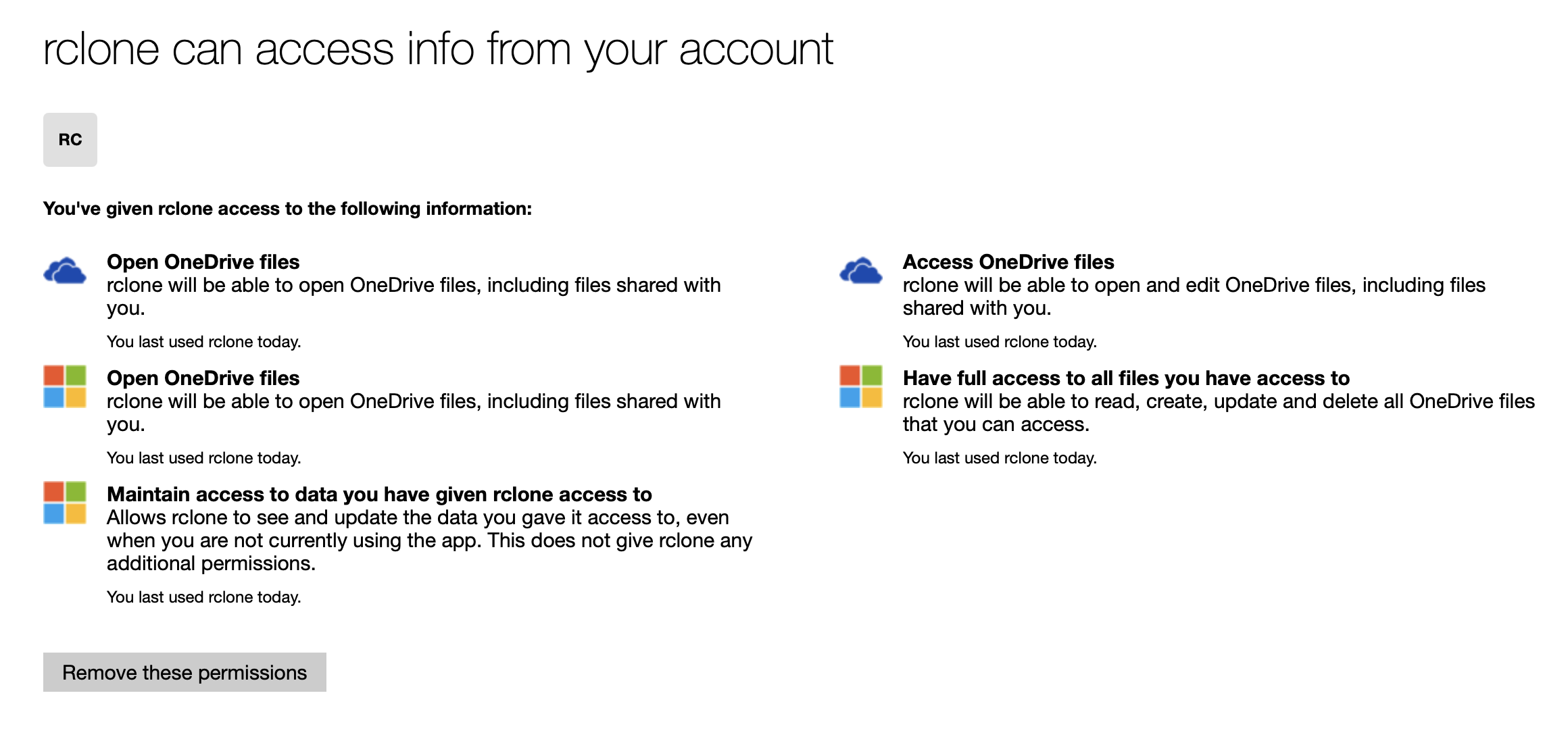
(I revoke RcloneView’s access each time before I try to re-connect.)
That’s about as much as I can tell you, I’m afraid. All help would be greatly appreciated. Thanks!
EDIT: Sorry – one last thing. I have successfully connected, disconnected and reconnected to OneDrive on this laptop using the Mac app CloudMounter. Thanks.
Hi JW17, thanks for the detailed info — this is very helpful!
The key clue is this error:
listen tcp 127.0.0.1:53682: bind: address already in use
This means something is already using port 53682, which rclone needs for the OAuth callback. Most likely, RcloneView’s embedded rclone process is occupying that port, which also explains why the OneDrive setup hangs in the GUI — the OAuth token can’t be received properly.
Please try the following:
- Quit RcloneView completely (make sure it’s not running in the menu bar or background).
- Verify the port is free — open Terminal and run:
lsof -i :53682
If anything shows up, note the PID and kill it with kill <PID>.
- Confirm the port is free — run
lsof -i :53682again. It should return nothing. - Reopen RcloneView and try setting up OneDrive again. With the port free, the OAuth flow should complete successfully this time.
If it still hangs, please let us know and we’ll dig deeper.
Thanks, RcloneView Team
Hello again. Sorry, but having done that it still hangs at the same place. 
same issue here using windows…. following.
FWIW - I am seeing the same behavior - the browser authentication seems to report success, but I get the same hanging screen that JW17 shows up above. If I try to manually enter the OAuth credentials for the Microsoft account, I get an error message:
We’re unable to complete your request
unauthorized_client: The client does not exist or is not enabled for consumers. If you are the application developer, configure a new application through the App Registrations in the Azure Portal at Microsoft Azure .
I can connect and access the OneDrive account through the latest version of Windows rclone.exe (1.74.3). The workaround for me is to setup the remote via the CLI which seems then to also work in rcloneview.
Hi @GardenGate,
Thanks for sharing your workaround.
The latest version of RcloneView now includes rclone 1.74.3. Please try installing or updating to this latest version to see if it resolves the issue.
We have tested it on our end and confirmed that the OneDrive connection is working properly now. Let us know how it goes!
Hello - FWIW, I was having the exact same issue with OneDrive, but I got it working very simply. I tried setting it up via the CLI as suggested in step one of the first reply. At first it didn’t work that way, either, and after the “config_driveid>” step it gave me an error “Failed to query root for drive “(default string)“ HTTP error 400 etc etc”. Since it errored out it asked again, and once again for the config_type picked OneDrive Personal or Business (#1), but then for config_driveid instead of hitting enter for the default value I picked 5 for OneDrive (personal) and then everything proceeded perfectly and it got the token. The remote now works as it should. Hope this helps somebody else.
I am still getting a variant of this bug on RcloneView (ARM64) 1.5.12 on Ubuntu 26.04 LTS. The Wizard hangs during the “Verify Connection” step when adding a OneDrive mount, despite Firefox indicating success.
And on the CLI I get this; I am unsure on how to proceed from here:
rclone config reconnect onedrive:
Already have a token - refresh?
y) Yes (default)
n) No
y/n> yUse auto config?
- Say Y if not sure
- Say N if you are working on a remote or headless machine
y) Yes (default)
n) No
y/n> Y<5>NOTICE: If your browser doesn’t open automatically go to the following link: http://127.0.0.1:53682/auth?state=NzYUQ6pE-itdEjeKyEeGUQ
<5>NOTICE: Log in and authorize rclone for access
<5>NOTICE: Waiting for code…
<5>NOTICE: Got code
Option config_type.
Type of connection
Choose a number from below, or type in an existing string value.
Press Enter for the default (onedrive).
1 / OneDrive Personal or Business
\ (onedrive)
2 / Root Sharepoint site
\ (sharepoint)
/ Sharepoint site name or URL
3 | E.g. mysite or https://contoso.sharepoint.com/sites/mysite
\ (url)
4 / Search for a Sharepoint site
\ (search)
5 / Type in driveID (advanced)
\ (driveid)
6 / Type in SiteID (advanced)
\ (siteid)
/ Sharepoint server-relative path (advanced)
7 | E.g. /teams/hr
\ (path)
config_type> 1Failed to query available drives: HTTP error 403 (403 Forbidden) returned body: “{“error”:{“code”:“accessDenied”,“message”:“Database Is Read Only”,“innerError”:{“code”:“serviceReadOnly”,“date”:“2026-08-25T11:35:14”,“request-id”:“9a9e3ca1-f8ec-4a48-a27e-997ad87186a1”,“client-request-id”:“9a9e3ca1-f8ec-4a48-a27e-997ad87186a1”}}}”
EDIT: I just found out that the Ubuntu Version I just downloaded from your site uses an rclone version that is too old to properly support onedrive:
rclone version
rclone v1.60.1-DEV - os/version: ubuntu 26.04 (64 bit) - os/kernel: 7.0.0-29-generic (aarch64) - os/type: linux - os/arch: arm64 - go/version: go1.26.0 - go/linking: dynamic - go/tags: none