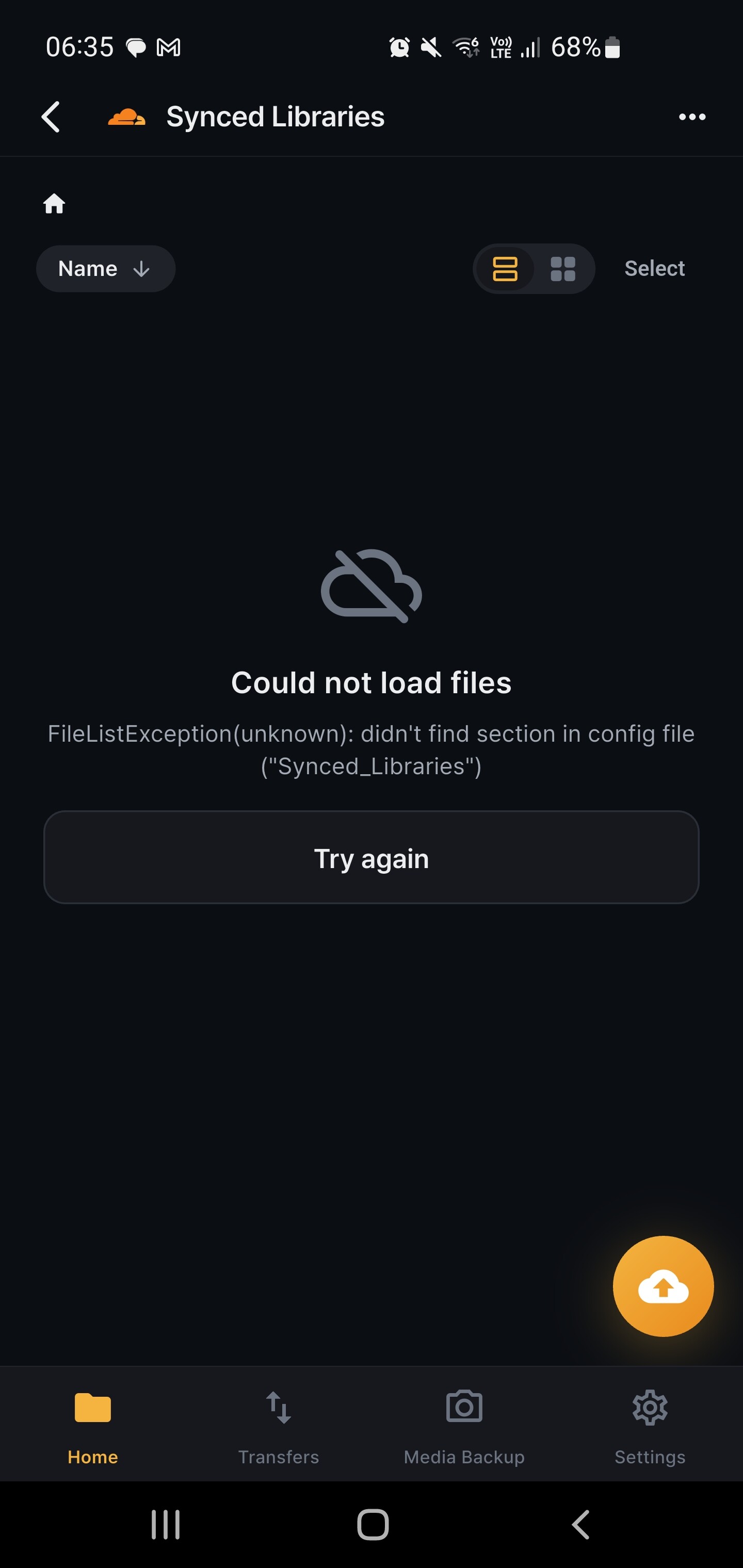
A remote named with a space doesn’t work.
What I did:
- Elect to add a new remote of type “Cloudflare R2”
- Fill in the Access Key ID, Secret Access Key, and Endpoint with valid credentials
- Set the remote name as either “SyncedLibraries” (will work) or “Synced Libraries” (will fail)
The error shown in the UI on opening the “Synced Libraries” remote is:
FileListException(unknown): didn’t find section in config file (“Synced_Libraries”)
By the sound of that, the space in the name had been replaced with an underscore when looking for the config. If spaces are disallowed, that’s fine, but the form should tell the user that rather than leading to confusing and seemingly unsolvable errors.
My setup:
- RcloneView Android v1.0.0 from Google Play
- Android 12 device
Hi ShiningGrimace,
First of all, apologies for the late reply — this took longer than it should have. And thank you for the clear, detailed report: the exact reproduction steps and error message made it easy to track down.
You were right on both counts. Here’s what was happening:
- When you create a remote, the app saves its configuration under the name exactly as you typed it (“Synced Libraries”).
- But when loading the file list, a different code path replaced spaces with underscores and looked up “Synced_Libraries” — so the app couldn’t find its own configuration. (rclone itself actually allows spaces in remote names; the bug was entirely on our side.)
We’ve fixed this in two ways:
- Names with spaces — and other characters rclone allows, including non-Latin characters — now work end to end. If you still have the affected remote, it will start working after the update; no need to recreate it.
- As you suggested, the form now validates the name upfront: names rclone genuinely doesn’t accept (e.g. starting with “-”) show a clear inline message instead of failing later with a confusing error.
The fix is merged and will be included in the next app update on Google Play.
Until then, a workaround is to create the remote with a name without spaces (e.g. “SyncedLibraries” or “Synced_Libraries”).
Thanks again for taking the time to report this — it helped us fix it for everyone.