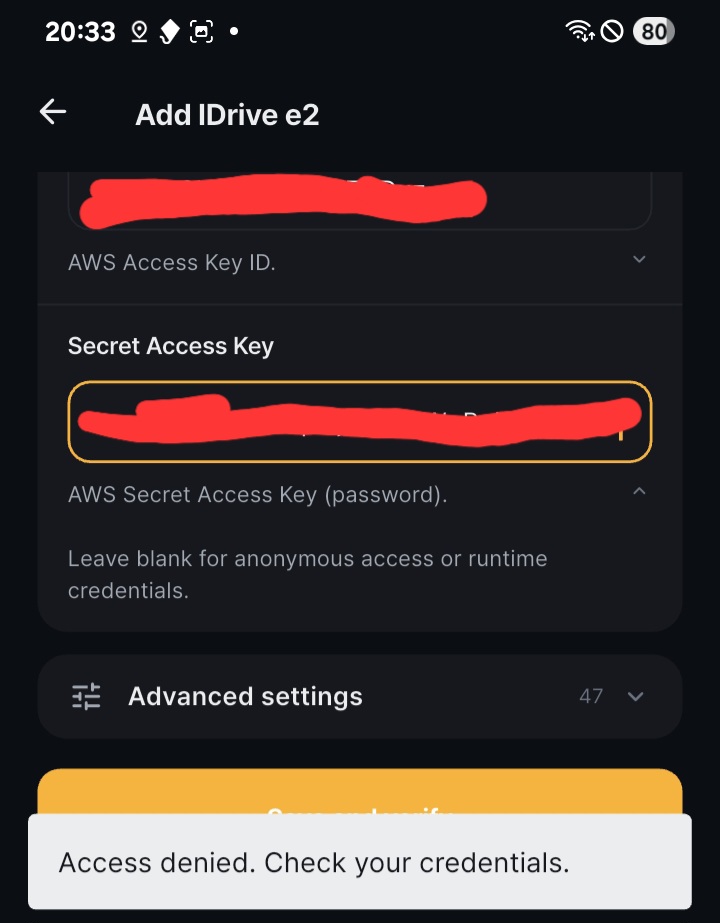
I’ve checked and recheckdd my credentials.
What is odd is that rclone will not connect to iDrive e2 storage without explicitly naming the endpoint, and there is no field to enter that in Rcloneview. Just the access key and secret key, which is normally not enough.
Regardless, the credentials are 100% correct but rcloneview cannot connect.
The endpoint is not among the advanced options.
Welcome, and thanks for the clear report — you diagnosed this correctly. Your credentials are fine; the problem is on our end.
What’s happening: rclone exposes an endpoint setting for 46 of its 47 S3-compatible providers. IDrive e2 is the one exception — it’s missing from that list upstream, so there’s no field for us to show you, in Advanced settings or anywhere else. Without an endpoint, rclone quietly falls back to the Amazon default and sends your iDrive keys to s3.us-east-1.amazonaws.com. AWS rejects them (of course), and that comes back to you as “Access denied. Check your credentials.” Misleading message — sorry about that.
Workaround until we ship a fix: the endpoint key does work for IDrive e2; it just isn’t offered in the UI. You can add it to your config file by hand:
- In RcloneView, go to General Settings → Embedded Rclone and note the path under “Local Rclone config location”.
- Close RcloneView, then open that file in a text editor.
- Find your IDrive e2 remote and add an
endpoint line:
[your-remote-name]
type = s3
provider = IDrive
access_key_id = ...
secret_access_key = ...
endpoint = xxxx.yy12.idrivee2-99.com
Use the endpoint shown for your bucket’s region in the iDrive e2 dashboard (no https:// prefix needed).
- Save and reopen RcloneView.
On our side: this is tracked and we’re adding the endpoint field to the IDrive e2 setup screen. We’ll also raise it with rclone upstream, since the root cause is in their provider metadata and every rclone-based GUI inherits it.
Thanks again for taking the time to write this up — the detail about the missing endpoint field is what made it quick to pin down.