Hi, I’ve had the Plus license installed for RcloneView v. 0.8.369 on my computer, but yesterday, while trying to test the rclone config encryption password (see my previous post), I installed v. 0.8.423 (as suggested from another post) to see if that helped…
Unfortunately, when I started RcloneView today I saw that the program again show that it is using the “Free License” and I only have today left to use the program. So apparently the license registration was lost after the program version was updated.
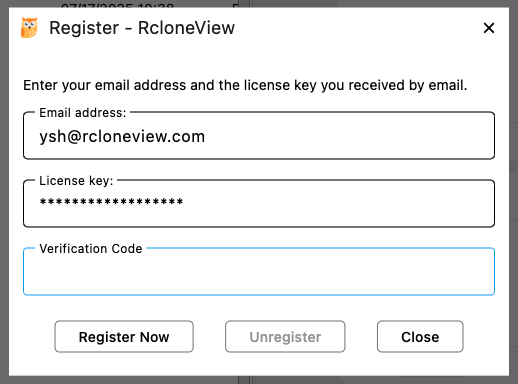
When I try to register my Plus License again it says that the license is already in use and sends me an email with a verification code, but there is no way to move on from there…
Please help, I won’t be able to use the program if I can’t re-register the license (on the same machine).
Also, if I re-register my license, which version de you recommend I use now?
Hi, I’ve installed RcloneView-0.8.432.exe and was able to re-register with the verification code. Thanks!
I’ve also tested the data entry for the config password and am able to enter it properly and show it to verify it and it is correct, so that seems fixed. However, it is still not properly openning the encrypted config file using the specified password. It shows “Failed to load remote list”.
I purchased a Plus license yesterday but have not received an email with the code. I entered the code displayed after purchasing and activated, but have since found the software has unactivated itself and I don’t have a code to enter!
Please install the following version and try registering your license again. If the license key was already registered, you will receive an email with a confirmation code. Enter this code in the Verification Code field to reactivate your license.
Hi, I didn’t receive the email with a key upon purchase as stated previously. I entered it off the screen when I reached the end of the purchase flow but I did not note it down, as I expected an email to come. How can I get a copy of the code?
Having the same issue as @hwpdm (keep having to re-license the app after quitting it and launching it again). Joining this thread as well in hopes of getting an answer to why this all of a sudden started happening.